Enable your users to work from anywhere with confidence by controlling information access across different device endpoints and networks. Additionally, learn how you can benefit from new Microsoft Windows Virtual Desktop features to enhance meeting experiences and ensure cost effectiveness.
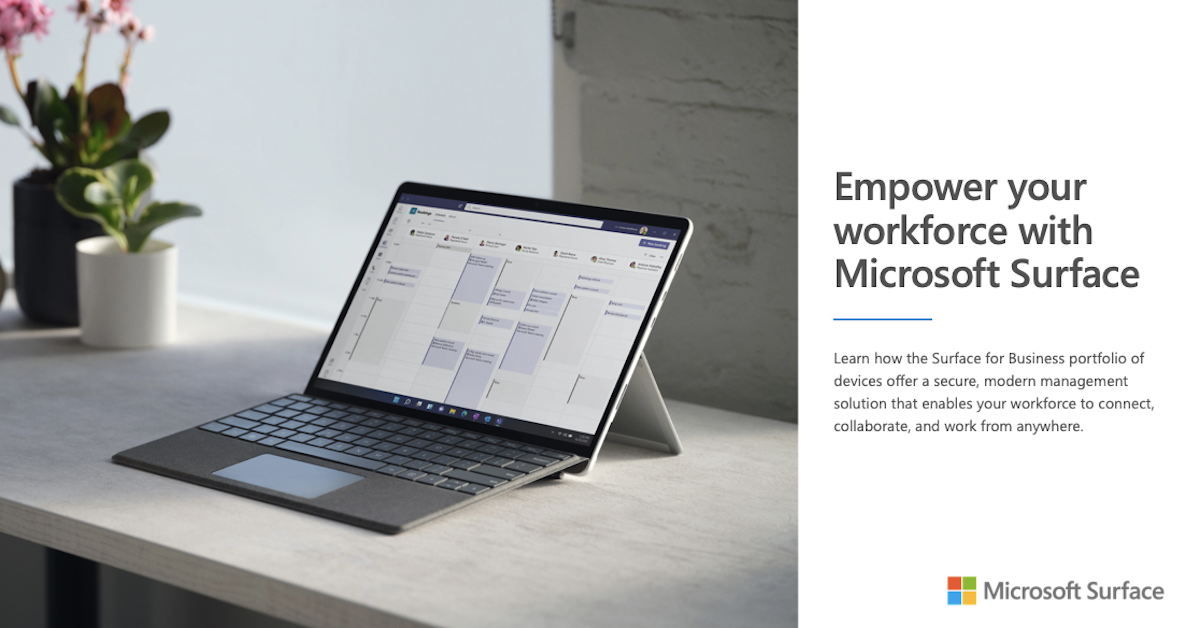
Explore the diverse portfolio of Surface devices
Empower your workforce in the office, the field, at home, and on the road. Microsoft Surface for Business devices and accessories offer a smarter, more seamless way to get work done in any kind of environment.
The Microsoft Surface for Business Look Book provides a deeper dive into the Surface suite of powerful, performance-driven solutions. Discover laptops, 2-in-1 devices, and modern accessories that enable your team to connect, collaborate, and work securely from anywhere.
Download your free copy of the Microsoft Surface for Business Look Book to get started.
Newcastle University challenges tradition with connected, collaborative culture
Newcastle University has a lot of connections between the different faculties, and it needed a formal way of supporting them. Launching Microsoft Teams provided a very rich, integrated platform that can create work groups dynamically in a multidisciplinary team. They now have up to 5,000 users between the faculty and students, streamlining professional services, research, and support for students.
All you need to know about Windows Virtual Desktop
Windows Virtual Desktop is the only cloud-based service that delivers a multi-user Windows 10 experience, optimized for Office 365 ProPlus—which means you can deliver a virtual desktop experience and remote apps to any device with cost advantages previously only possible with server-based virtualization. Here’s all you need to know about WVD.
Microsoft makes it easier to get started with Windows Virtual Desktops
With a massive shift from working in-office to working remotely, Microsoft made updates to make it effortless for users to work with Windows Virtual Desktop. Learn what steps Brad Anderson, Vice President for Microsoft 365, and his team took to make the program easier for customers to use.
Empowering Remote Work with Microsoft Teams
With more people working from home, fostering virtual connection is crucial. This one pager displays tips on how to empower your team to stay connected, inclusive and focused online. It also provides insights on how to share content and keep your business running smoothly using Microsoft Teams.
Bertrandt’s HARRI is a self-driving success, thanks to Microsoft Azure
What drives a self-driving car? A tremendous flood of data. To make Bertrandt’s Level 4 self-driving car project HARRI a reality, far too much data was needed than could be stored onboard the vehicle itself. It required Microsoft Azure Services to provide access to volumes of mapping data for an autonomous vehicle. Azure DevOps facilitated the efficient coordination of work between developers and ops —and the QA needed to develop such exacting software.
New laptops from Surface, now with Windows 11
The new Microsoft Surface portfolio boosts productivity with high-performance chip sets, multi-touch screens, inking and crystal-clear audio and video. Increase employee performance, freedom, and satisfaction with these new and innovative devices. So let’s dive in.
• Connect to a deeper level of collaboration from anywhere with hardware and software that’s specifically designed to bring people together.
• Free your IT team for real innovation and reduce IT complexity and re-imaging by shipping and deploying straight to users with Windows Autopilot zero-touch deployment experience.
• Rely on powerful, unified protection to work securely work anywhere with Microsoft one-click device management, and protection. Surface with Microsoft 365 offers chip-to-cloud security no matter where your people find themselves.
• Take your pick of operating systems on the new Surface for Business portfolio. Now you can choose either the current Windows 10 or new Windows 11 operating systems.
Contact us to learn what’s news and amazing with Surface. You’ll discover Surface devices that go beyond the daily task to fill a role in your vision for the hybrid future.
LogicCloud IT, Inc.
https://stuf.in/b7lr6dArray
[email protected]
1-480-210-5248
Why Windows Virtual Desktop
Setting up Windows Virtual Desktop enables users to increase productivity and security. Learn how you can develop and scale your products and services on demand with Windows Virtual Desktop.
Automate code-to-cloud workflows with a seamlessly integrated DevOps platform
With the ability to commit changes and quickly deploy them to the cloud using tools such as GitHub Actions and Microsoft Azure Pipelines for CI/CD, developer teams gain agility in deploying and maintaining their apps.
Cloud adoption has transformed the way teams are building, deploying, and operating applications. Together with the use of DevOps ideals and tools, they now have a greater opportunity to improve their practices and better serve their customers.
Sign up to say connected—we can help you learn more about how to use Azure DevOps with GitHub and Visual Studio to build your next great solution
View: Automate code-to-cloud workflows with a seamlessly integrated DevOps platform